Microsoft Solutions

Powerful Tools for a Smarter, More Connected Business

Microsoft Copilot

Microsoft Copilot seamlessly integrates with Microsoft 365 apps like Word, Excel, Teams, and Outlook—bringing the power of AI directly into your daily workflow. It helps you draft content, analyze data, summarize meetings, and automate repetitive tasks, so you can focus on what truly matters.
Key Features:
  • Draft documents and emails using AI in Word and Outlook
  • Analyze complex data with natural language prompts in Excel
  • Summarize Teams meetings and highlight key takeaways
  • Automate repetitive tasks across Microsoft 365
  • Built-in enterprise-grade security and compliance
Use Case:
Boost team efficiency by automating document creation, data insights, and meeting recaps—powered by AI that understands your work context..

Microsoft Azure

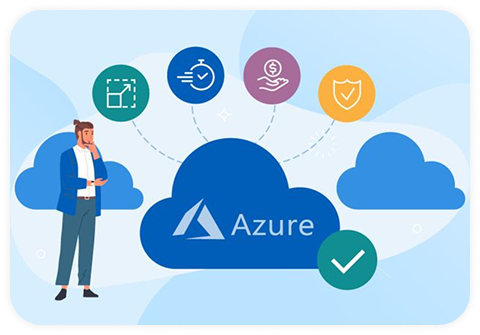
Microsoft Azure is a comprehensive cloud platform that offers integrated services across computing, analytics, databases, mobile, networking, and storage—all supported by Microsoft’s global network of secure datacenters. Whether you’re modernizing legacy systems or building new cloud-native applications, Azure is designed to help you move faster and do more.

Key Features:

  • Scalable infrastructure for virtual machines and app hosting
  • Built-in analytics, AI, and machine learning capabilities
  • Secure and compliant storage and networking services
  • Azure Active Directory for identity and access management
  • Global datacenter reach with hybrid and multi-cloud support
Use Case:
A mid-sized retail company migrated its legacy ERP system to Azure, leveraging virtual machines and cloud databases. This reduced infrastructure costs by 40%, enabled 99.9% uptime, and improved data access across branches nationwide—all while ensuring enterprise-grade security and compliance.

Microsoft Teams

Microsoft Teams is the central hub for teamwork in Microsoft 365. It combines chat, video conferencing, file sharing, and app integration into one seamless platform, empowering teams to connect, collaborate, and stay aligned—whether remote, hybrid, or in-office.

Key Features:
  • Persistent chat channels and threaded conversations
  • HD video meetings, screen sharing, and recording
  • File collaboration with real-time co-authoring (via OneDrive & SharePoint)
  • Integration with 1,000+ apps, including Planner, Power BI, and more
  • Enterprise-grade security and compliance from Microsoft 365
Use Case:
A growing tech company implemented Microsoft Teams to replace scattered emails and third-party apps. With Teams, their departments now collaborate in dedicated channels, hold weekly video syncs, and co-author project documents—reducing communication delays and improving project delivery time by 35%.

Microsoft 365

Microsoft 365 brings together the latest versions of Microsoft Office apps—Word, Excel, PowerPoint, Outlook, and more—powered by cloud services. Whether you’re working from the office, home, or on the go, Microsoft 365 ensures seamless collaboration, secure file access, and real-time communication across all your devices.

Key Features:

  • Access to Office apps across desktop, web, and mobile
  • Cloud-based email (Exchange), file storage (OneDrive), and collaboration (Teams & SharePoint)
  • Real-time co-authoring and version control
  • Built-in security, compliance, and automatic updates
  • Scalable plans for businesses of all sizes

Use Case:
A consulting firm adopted Microsoft 365 to centralize email, document storage, and team collaboration. With Teams for meetings, OneDrive for secure cloud storage, and Outlook for scheduling, the firm reduced tool sprawl and improved team productivity by over 40%.

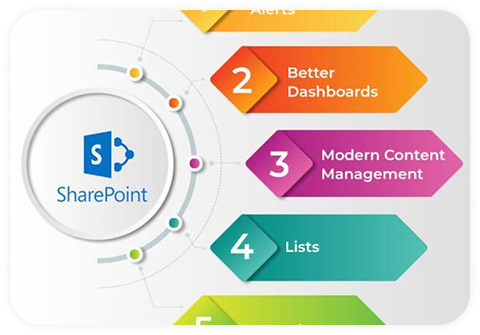
Microsoft SharePoint

Microsoft SharePoint is a powerful platform for content collaboration, intranet development, and document management. It enables teams to share files, automate workflows, and engage across the organization—all within a secure and customizable environment.

Key Features:
  • Create intranet sites, department hubs, and team portals
  • Share and manage content securely across the organization
  • Automate business workflows with Power Automate integration
  • Co-author documents with real-time updates
  • Seamless integration with Microsoft Teams and Office 365
Use Case:
A manufacturing company implemented SharePoint to manage SOPs, HR policies, and interdepartmental communication. With department-specific sites and automated approval workflows, they improved document access, reduced email chains, and enhanced compliance visibility across branches.

Microsoft SQL

Microsoft SQL Server is a robust relational database management system built to support mission-critical applications. It enables businesses to store, query, and analyze data efficiently—whether deployed on-premises or in the cloud. With built-in AI, analytics, and in-memory technology, it helps drive deeper insights and faster decisions.

Key Features:

  • High-performance in-memory processing for OLTP and analytics
  • Advanced data security with built-in encryption and compliance
  • Real-time analytics and reporting using integrated tools
  • Scalable from small applications to enterprise-grade systems
  • Hybrid cloud support for flexible deployment (on-premises or Azure)
Use Case:
A retail chain used SQL Server to centralize customer and sales data from hundreds of stores. With real-time analytics and reporting, leadership gained critical business insights and reduced decision-making time from days to minutes.

Microsoft Visio

Microsoft Visio is a powerful diagramming tool that helps you simplify and communicate complex information through professional diagrams, flowcharts, org charts, network maps, and more. With an intuitive interface and real-time collaboration, Visio makes it easy to visualize your ideas and streamline processes.

Key Features:
  • Create flowcharts, org charts, floor plans, network diagrams, and more
  • Built-in templates and shapes for quick creation
  • Real-time collaboration and co-authoring in Visio for the web
  • Integration with Microsoft 365 and Teams
  • Export to PDF, PNG, or embed in presentations and reports
Use Case:
An IT team uses Visio to map out network infrastructure and data center layouts. The ability to collaborate in real time and export diagrams directly to presentations streamlined planning and enhanced communication with stakeholders.

Windows 11

The reliable partner to get things done.
Experience faster start-ups, a centered and streamlined Start menu, and innovative features like Microsoft Edge. Windows 11 helps you stay productive and work seamlessly across multiple devices whether you’re in the office, working remotely, or on the move.

Key Features:

  • Fast and secure boot-up with built-in Windows Defender
  • Modern interface with a centered Start menu and taskbar
  • Touchscreen, voice, and stylus support for flexible use
  • Microsoft Edge browser optimized for performance and security
  • Seamless integration with Microsoft 365 and Azure environments

Use Case:
Equip your employees with a consistent, secure, and modern Windows experience that works across all devices—boosting productivity and minimizing IT overhead.